
Dan Arel
Organizer | Coach | Author
What I Use
In both my personal, and professional, I use a lot of various tools and technology to get my work done. I also enjoy discussing technology and learning about what other apps and tools people use in their daily lives.
So this page is simply me sharing what I use in various parts of my life in the hopes maybe a tool or two will help you or you’ll reach out with something else that you use and will want to share about it.
My Use Case
-
Director of Communications - My day job has me writing speeches, talking points, creating messaging documents and overseeing the organizations communications and PR strategies just to name a few things.
-
Blogger/Author - In some of my very limited spare time, I love to blog, work on books I hope to someday get around to finishing, and hitting up social media more than I should.
At Home
At home, I have a very basic setup, I work mostly from a coach, bed, or usually my kitchen table.
Computer
- 2022 13" Macbook Air - M2, 8GB RAM, 250GB SDD
I have a great, but no-name backpack from a local Ross that works great for my needs, and I keep the laptop inside of a Journey Nexa 4 case that allows me to charge my phone and Airpods from any desk I am working at.
Phone
- iPhone 15 - 128GB
Watch
The watch is less for always being connected and more for fitness. I track my workouts daily, steps, and use it couples with Apple Fitness+ to stay in shape.
Entertainment
At home, I listen to a lot of music and read a lot of books, at night, I also love to indudlge in some TV. The majority of my music I stream through Apple Music which I get through my Apple One Premium account so the whole family can have access to music. I listen to this music at home either with my Airpods or the Apple Pod Mini speaker.
When not streaming, I love to play vinyl records. I use a U-Turn Audio turntable hooked up to Edifer speakers.
In our house we have four TVs all of which are Roku based.
I read mainly traditional books, and you can see what I am reading over at GoodReads, but when I am not looking to carry around a heavy book, I use my Amazon Kindle Paperwhite and I manage my books with Calibre. When walking, I listen to audiobooks that I get exclusively though Libby from my local library.
I buy all of my books through Better World Books or Bookshop.org .
At Work
At work, I have a more complete setup featuring two 27" Dell monitors, a Dell docking station, an Apple Magic Keyboard, Apple Magic Mouse, Apple Magic Trackpad, and a standing desk (brand unknown).
Computer
- 2025 14" Macbook Pro - M5, 16GB RAM, 2TB SDD
This is only a slight overkill for the work I do, however, we tend to only upgrade every 5 or so years, so when I get something new I try to max out, within reason, what I can to ensure we get the most life out of it. We also usually refurb them and pass them down to new staff if they are in working condition, when necessary.
Phone
- iPhone 15 Pro - 512GB
iPad
- iPad 7th Generation - 32GB
When I am on the go, I use the iPad with a Logitech Combo Touch case. This iPad is headed to retirement, however, since it’s no longer really suiting my needs. I also take a lot of notes at work in meetings and on the go, and for that I use a ReMarkable 2.
Software
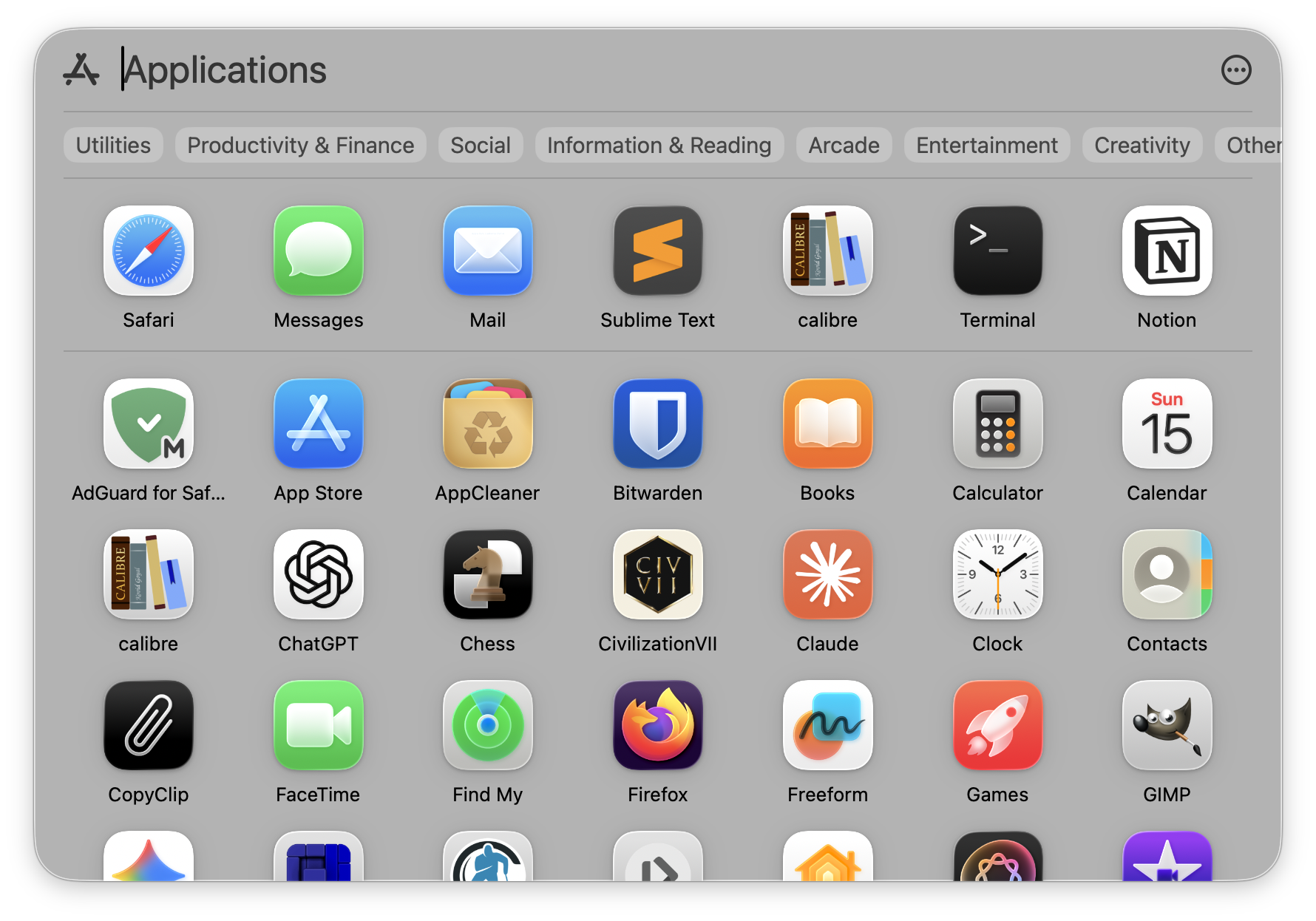
Our family stays in sync with iCloud through Apple One Premium, but I mainly sync my files using Sync since I have some work systems not on the same iCloud account. For my personal email, I use that through Proton Mail, I get my news through RSS using InoReader but on my laptop, I check that with NetNewsWire.
When it comes to browsing, I use Safari. I check my mail through Apple Mail, and for note taking, I use a mix of Standard Notes for basic and quick notes, and then I use Notion for larger projects at home and work. Notion works great because I can write in it, create sub pages, databases, and just use it for a variety of projects.
I use Apple’s Terminal app for any console needs, and I do all of my coding in Sublime Text, thought I am now starting to use VSCode. I keep most of my apps up-to-date through the App Store, but some are managed through Homebrew.
I also like a do a limited amount of gaming, but I play Civilization and Football Manager 26 through Steam on the Mac. I also have an Xbox that goes mostly unused and a Nintendo Switch when I want to play some Animal Crossing.
On my phone, outside of the basic social media apps, some go-to apps are Lose It! for my calorie tracking, Bitwarden as my password manager (on MacOS as well), and I use Proton Authenticator for 2FA codes. To block trackers on Safari, I use AdGuard.
And lastly, for my mental health, I use Calm and Headspace.
This page was last updated on March 15, 2026